The 15-Minute Google Business Profile Audit for Local Service Businesses (Step-by-Step Checklist)

SD Team • February 10, 2026

Prefer to listen to this blog post?

If your phone’s quiet, your Google Business Profile (formerly Google My Business) might be the reason. For most local service businesses, it’s the front door people walk through before they ever see your website. It takes one wrong detail, one missing service, or one duplicate listing to undermine your local search visibility and send a hot lead to the next company.


This Google Business Profile audit, designed to boost your local search rankings, is built for busy trades and service teams relying on local SEO. Set a 15-minute timer, follow the audit checklist, fix what’s off, and move on with your day.

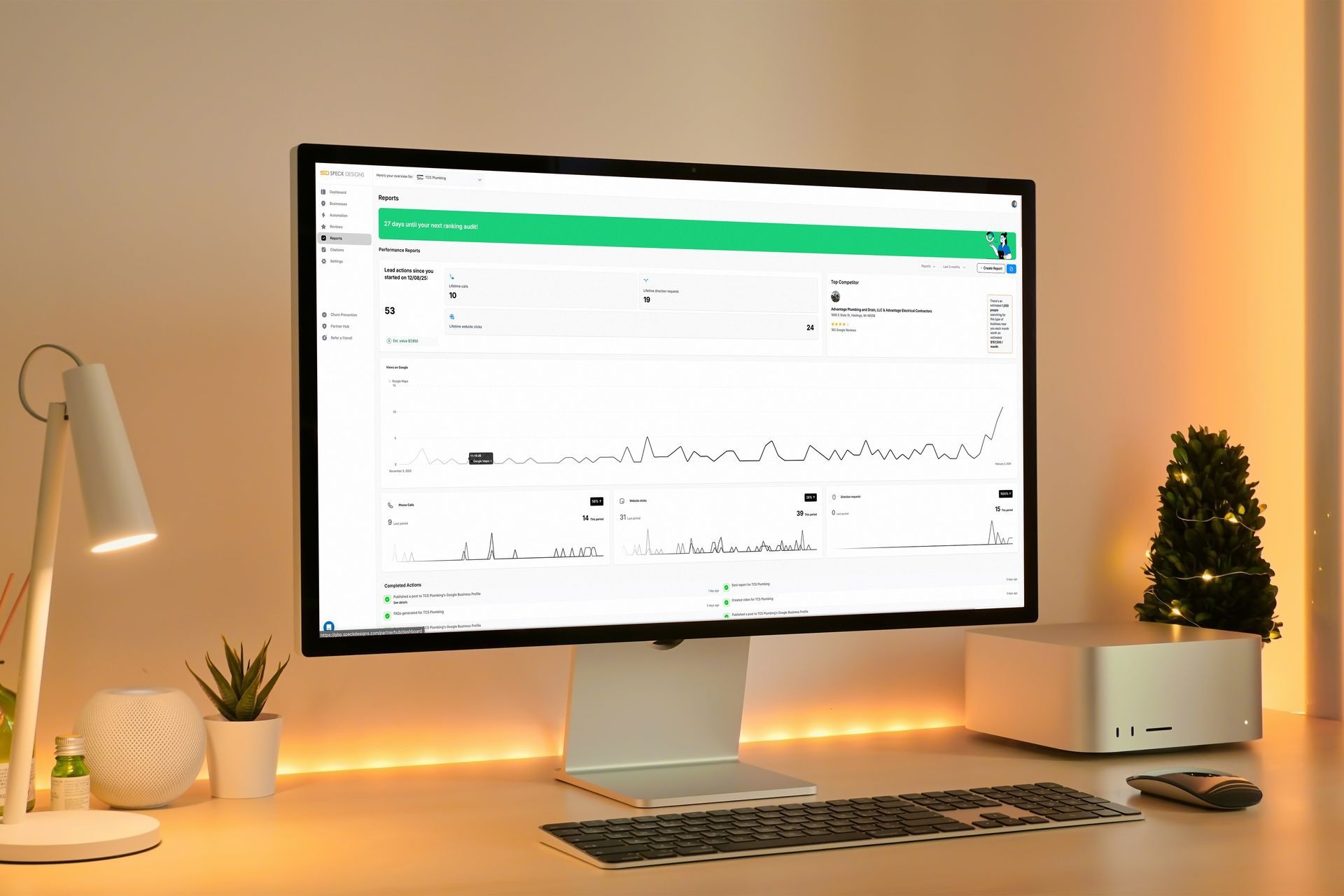
Computer monitor displaying data graphs on a desk with a keyboard, lamp, and small tree.

Not sure what to fix first on your website or marketing? We'll help map your next steps. Schedule a Call with Speck Designs.

Key Takeaways

  • A 15-Minute Google Business Profile Audit helps local service businesses find quick fixes that can improve calls, clicks, local search rankings, and local visibility.


  • Start by confirming ownership and verification of your Google Business Profile, then remove spam and keyword stuffing from the business name to reduce suspension risk.


  • Choose the best primary business category for your top revenue service, keep secondary categories tight, and fill out your Services list with plain, customer language.


  • Match your name, address, phone, and website link to your site (NAP consistency), then confirm hours of operation, special hours, and service areas are accurate.


  • Add trust signals that drive leads now with customer reviews, review responses, and a strong call to action, recent photos, accurate Q-and-A, then re-check GBP Insights in 7 to 14 days.

Set up the 15-minute audit (so you don’t get pulled into a rabbit hole)

Before you touch anything, get into the right view, which is crucial for local SEO.


  1. Log in to the Google account that owns the profile.
  2. Open Google Search and type your business name. You should see the local search results with the in-search management panel.
  3. Keep two tabs open:
  • Your Business Profile (formerly Google My Business) management view
  • Your website (contact page and service-area or location page, for usability and mobile optimization)


If you need help finding the right screens or terminology, Google’s Google Business Profile Help center is the safest reference.


A quick rule: this is an audit, not a makeover. If a fix will take longer than two minutes (like rewriting your whole site), note it and keep moving.


Printable 15-minute Google Business Profile audit checklist (quick pass or fix)


Print the table below as a PDF or copy and paste it into a notes app. Mark Pass, Fix, or Later.

Audit item Where to check in GBP Pass looks like Rapid fix (what to change and why)
Ownership + Verification Search your bisuness name (logged in) You can edit everything If you can’t, request access or complete verification so you can control edits and improve Google Local Pack placement
Business Name Profile > Edit profile > Business information Real-world name only Remove service keywords (risk: suspensions and ranking drops)
Primary Business Category Profile > Edit profile > Business category Best match for main service Change primary category to match top revenue work (helps relevance)
Secondary Business Categories Profile > Edit profile > Business category Only true services Remove “kitchen sink” categories (keeps you from looking unfocused)
Address and Map Pin Profile > Edit profile > Business information Correct, searchable address Fix typos and pin placement (stops misroutes and missed calls; ensures NAP consistency)
Service Area Settings Profile > Edit profile > Service area Matches where you’ll drive Add real cities/areas, delete far-off areas (avoids bad leads)
Phone Number Profile > Edit profile > Contact One main local number Use a direct number, not a call center maze (boosts trust)
Website Link Profile > Edit profile > Contact Goes to the best landing page Point to the right location/service page (better conversions)
Business Hours + Special Hours Profile > Edit profile > Hours Accurate, including holidays Add special hours (prevents “closed” complaints)
Services List Profile > Edit services Clear, complete list Add your money services with plain wording (helps match searches)
Photos Profile > Add photo Real work, recent Add visual content like team, trucks, before/after photos (photo views signal activity)
Reviews + Replies Profile > Read reviews Recent reviews, replies posted Reply to the newest 3 customer reviews (shows you’re active)
Q&A Profile > Questions (or Q&A) Accurate answers Add 2 common questions to the Q&A section, correct wrong answers (reduces call friction)
Duplicate Listings Search Google Maps for name + address/phone Only one listing Request a merge or resolve ownership to avoid split reviews

Rapid remediation guide (what to change and why it matters)

This Google Business Profile audit highlights quick wins to boost your local SEO presence.


1.) Business info that must match everywhere (name, phone, website)


Do this: Profile > Edit profile > Business information and Contact


Think of your profile like a work truck wrap. If the phone number is off by one digit, the job goes to someone else. NAP consistency ensures search engines trust your details across the web.


Common local-service pitfalls:

  • NAP mismatch: “Suite” on GBP, no suite on your website. Small mismatch, real damage.
  • Mismatched website page: a Grand Rapids listing that links to a generic homepage or a different city page.


Fix fast:

  • Copy your business name, address format, and phone exactly from your website.
  • Link your profile to the most relevant page (your main service page, or the matching location page if you have one).


If you’re unsure where edits live, Google outlines the process in Edit your Business Profile.


2.) Categories and services (the “what do you do?” signal)


Do this: Profile > Edit profile > Business category, then Profile > Edit services


Your primary category is one of the strongest ranking factors you can control in minutes, directly impacting local search results. A plumber set as “Handyman” will fight uphill for every call. Business categories send clear signals for local SEO, so pick wisely after some competitor analysis.


Fix fast:

  • Set the primary category to the service that drives the most revenue.
  • Add only relevant secondary business categories. If you don’t truly offer it, don’t list it.
  • Fill out your Services list and business description with clear, customer language (Drain cleaning, Water heater install, Furnace repair). Skip salesy wording.


Google’s official notes on category selection are worth bookmarking: How to choose a category for your Business Profile.


Keyword-stuffing risk: Don’t cram cities and services into your business name or category fields. It can trigger edits by users, filters, or worse, suspension.


3.) Address, service area, and duplicate profiles (where you work, and where Google thinks you work)


Do this: Profile > Edit profile > Business information, then Profile > Edit profile > Service area


Service area businesses (HVAC, plumbing, mobile detailing, cleaning) get tripped up here all the time.


Common pitfalls:

  • Showing a home address when you don’t serve customers there
  • Listing a service area that’s too broad, which attracts bad-fit leads
  • Having duplicate listings from old addresses, past agencies, or auto-created profiles


Fix fast:

  • If you don’t have a staffed office for walk-ins, set your profile as a service-area business and keep the address consistent with Google My Business rules.
  • Tighten service areas to the places you’ll actually drive on a normal week.
  • Search Google Maps for your business name plus old addresses and phone numbers. If you find duplicates, start here: Resolve duplicate profiles and ownership issues.


4) Trust builders that move leads today (hours, photos, reviews, Q&A)


Do this: Profile > Edit profile > Hours, Profile > Add photo, Profile > Read reviews, Profile > Questions


These items don’t just help rankings; they help conversions. People decide fast. Use Google Posts to engage customers and keep the profile fresh.


Fix fast:

  • Business hours and special hours: Set them before holidays and known closures. Wrong hours create angry reviews that never should’ve happened.
  • Photos: Add real job photos, team shots, branded vehicles, and clean “after” photos as visual content. Fresh images often get more engagement, and engagement matters more in 2026 than it used to.
  • Customer reviews: Reply to recent reviews first as part of online reputation management. Keep it simple, thank them, reference the service, and invite them back.
  • Q&A section: Add a couple of common questions you get on calls (Do you offer emergency service? What areas do you cover? Do you provide free estimates?) to reduce call friction. In January 2026, Google is also pushing more AI-driven answers in some profile surfaces, so accurate info and customer reviews help shape what people see.

Document changes and re-check performance in 7 to 14 days

Don’t rely on memory. Small edits stack up, but only if you track them using an audit tool.


  • Write down what you changed, the date, and why (categories, service areas, especially for multi-location management, hours, links).
  • Take screenshots of the profile sections you touched.
  • In the Google Business Profile Insights Performance area, watch for changes in calls, website clicks, and Google Maps direction requests that drive customer engagement after a week or two. Check that your website's schema markup aligns with this profile data.


If something drops right after a major change (like category swaps), these tweaks can enhance your knowledge panel in search, so roll back the last change and re-test one variable at a time in Google Business Profile Insights.


Frequently Asked Questions About the 15-Minute Google Business Profile Audit for Local Service Businesses


What is a Google Business Profile audit?

A Google Business Profile audit is a quick check of the fields that affect local visibility and conversions, like ownership, business name, business description, categories, contact info, hours, services, profile photo, cover photo, customer reviews, Q&A section, and duplicates. The goal is to find small errors that cost calls and fix them fast.


How long should a Google Business Profile audit take?

This audit is designed to take about 15 minutes. Treat it like a quick pass; if a fix takes more than two minutes, note it and handle it later so you still finish the full check.


What are the fastest GBP fixes that can improve local results?

The fastest wins are confirming ownership, correcting your business name (no extra keywords), setting the right primary category after competitor analysis, tightening secondary categories, updating your business description, matching NAP details to your website, linking to the best landing page with booking links and a strong call to action, setting accurate hours and special hours, adding your main services, and posting Google Posts. Ensure mobile optimization for customer trust. These changes, complemented by local schema markup and consistent citations, help Google understand relevance, boost local pack visibility, and build customer trust. Track success by monitoring search queries and customer actions in Google Analytics.


Should a service-area business show its home address on GBP?

If you do not have a staffed office for walk-ins, set the profile as a service-area business and follow Google’s rules for hiding the address. Then list only the service areas you will actually drive to in a normal week to avoid bad leads and wasted calls.


How do duplicate Google Business Profiles affect rankings and leads?

Duplicate listings can split customer reviews, confuse customers, and cause Google to show the wrong profile in Maps or search. If you find duplicates tied to old addresses, old phone numbers, spam reviews, or past agencies, request a merge or resolve ownership so there is one clear profile.


Conclusion

A 15-minute Google Business Profile audit won’t fix everything, but it will catch the mistakes that quietly bleed calls. Use this checklist as an audit tool once a month, and any time you change hours, service areas, or offerings. Then re-check performance in 7 to 14 days and keep the wins that hold. For long-term success in local search rankings and local search visibility, regularly update Google Posts, monitor customer reviews, refine your business description for brand clarity, and perform competitor analysis to stand out. Reference your Google My Business profile consistently to drive customer engagement. Your profile should read like a real, reliable business, because that’s what people are trying to hire.


Want someone to handle all of the consistent GBP maintenance and updates needed as Google constantly changes their algorithm? We would love to take care of that for you. You can learn more about our GBP management at www.GetRealLeads.net.

Steven, the owner of Speck Designs in front of mountains.

The copywriting team at Speck Designs writes about branding, web design, SEO, content strategies, and much more for service-based businesses. Our goal is to publish clear, usable guidance you can apply right away, whether you are improving a local SEO foundation, building better landing pages, or tightening your brand message. We focus on what drives leads, not just traffic.


Ready to see how Speck Designs can help you keep your best clients and fuel business growth? Schedule your call today. Let's build lasting client partnerships through elevated customer engagement and powerful reputation management together.


Person using a laptop with a dark-mode Google search open. Hands typing on the keyboard.
By SD Team January 22, 2026
Siri and Google AI are changing local search. Keep your Google Business Profile accurate to win calls, or get GBP management for $299 a month.
A person using a wrench to repair a bathroom sink's plumbing.
By SD Team January 21, 2026
Learn how to make your plumbing company stand out in a crowded market using niche messaging, local SEO, reviews, and a trust-first customer experience.
Woman using a smartphone, overlaid with inbound marketing-related icons, indoors.
By SD Team January 14, 2026
Conversion roadmap for small businesses. 7 steps to turn HVAC, plumbing, and construction traffic into real calls, quotes, booked jobs, and repeat work.
SHOW MORE BLOGS