Website Homepage Copy Checklist for More Local Leads

SD Team • August 11, 2026

Prefer to listen to this blog post?

SELECT HERE to Go Directly to the HOMEPAGE Checklist


Your homepage has a few seconds to answer the question every local customer is asking: "Can these people help me?"


If the answer is buried under a big stock photo, a vague headline, or three paragraphs about your company history, people leave. They do not need a full sales pitch. They need clarity, proof, and an easy way to call, book, or request a quote. When your website copy fails to address their immediate needs, you lose your target audience to competitors who offer a more direct path to a solution.


Effective website copy is the engine that drives your lead generation. It should focus on the customer journey rather than company accolades. This homepage copy checklist helps service businesses tighten up the words that turn a quick visit into a real conversation.

Key Takeaways

  • Lead with what you do, where you work, and why a customer should care.
  • Position your primary call to action near the top of the page, as this is essential for converting mobile visitors.
  • Use real proof, like reviews, licenses, project photos, and team details.
  • Keep homepage copy focused on the customer's problem, not your company's backstory.
  • Match your website details to your Google Business Profile and other listings.
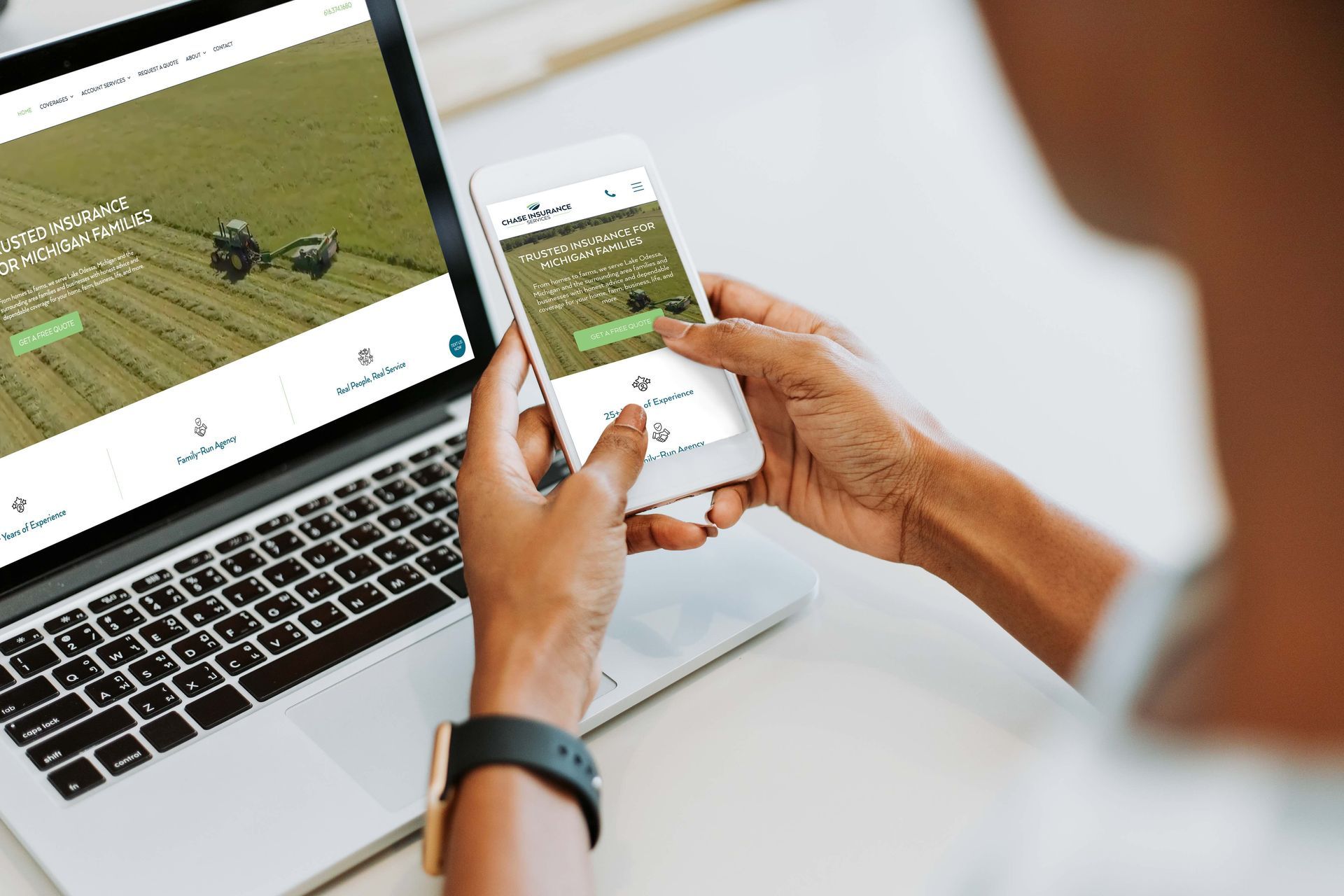
Person using a phone and a laptop to view Chase Insurance Services website homepage.

What should a local business homepage include?

A local business homepage should clearly state the main service, service area, primary benefit, and next step. It should also include trust signals, such as reviews, real photos, credentials, and easy ways to call or request a quote.


Start With a Clear Local Service Promise

The first section of your homepage is prime real estate. Because this area sits above the fold, don't waste it with vague phrases like "Welcome to our website" or "Quality service you can trust." Those generic statements could apply to almost any business.


In homepage audits for local service companies, one of the most common problems we see is a headline that names the company but never says what it does. A visitor should not need to scroll to learn whether you repair furnaces, install roofs, or build retaining walls.


A visitor should know three things within seconds of landing on your page:

  1. What service you provide
  2. Where you provide it
  3. What they should do next


A roofing company in West Michigan might say, "Roof repair and replacement for homeowners across Hastings, Grand Rapids, and nearby communities." That is clear and direct. You can then pair this with a descriptive tagline that highlights a specific benefit, such as "Serving West Michigan families with honest, same-week estimates." This tells people exactly what the business does, where it operates, and why they should choose you.


Then, add a short supporting line that answers their next concern. Maybe you have 20 years of field experience, or you handle emergency calls. Keep it real, and avoid claiming to be the best unless you can prove what makes you different.

Your homepage isn't a brochure. It's the front desk of your business when nobody is available to answer the phone.


Your main headline should talk about the customer's need before your company name. People searching for an electrician, plumber, HVAC company, or attorney are usually trying to solve a specific problem rather than looking for a clever slogan.


A strong top section often includes:

  • A plain-language headline focused on the core service
  • A short line about location, availability, or a meaningful differentiator
  • A visible phone number and a clear call to action like "Call Now" or "Request a Quote"
  • One real image that supports the work, not a random office handshake


If your homepage is being rebuilt, the layout matters as much as the copy. A page can have good words and still lose leads if the buttons are hard to find or the subheads are confusing. Effective website design for local businesses should make the next step obvious on a mobile phone, not only on a desktop monitor.

Put the Customer's Problem Before Your Story

Business owners often write homepages like an about page. They start with when the company opened, who founded it, and how much they care. That information matters, but it should not be the first thing a stressed customer sees.


Think about the specific buyer personas that represent the person who lands on your page. Their basement may be wet, their furnace may have stopped, or they may need legal help before a deadline. They want to know immediately whether you can solve their specific pain points.


Build a short problem-and-solution section below the opening headline. Name the jobs you handle using the exact language your customers use. For every service, offer a unique solution that addresses their concerns. A plumbing company can mention water heater repair, drain cleaning, fixture installation, and emergency leaks. A landscaping company can mention lawn care, mulch, retaining walls, and seasonal cleanup.


Don't try to cram every service into one giant paragraph. It gets messy fast. Pick your core services, give each one a short description, and link visitors to a fuller services page when they need more information.


This is also where vague wording causes trouble. "Complete solutions" sounds polished, but it tells people nothing. "We repair leaking water heaters and install new systems" is much easier to understand.


Ask yourself a harder question before you publish: Does this page help a stranger decide if you are the right fit, or does it mostly talk about you?


That question can reveal blind spots pretty quickly. You may be proud of your history, your equipment, or your process. Customers usually care about the outcome first. They want the repair done right, the project finished on time, or the appointment scheduled without hassle.


Build Local Trust With Details People Can Check

Local customers are careful, and they should be. A clean homepage without proof can feel like a freshly painted storefront with nobody inside. Unlike an about page that serves as a deep dive into your history, your homepage needs immediate, verifiable evidence that you are the right choice.


Use details that show your business is real. Recent testimonials, service area information, licensed and insured status where it applies, team photos, before-and-after work, and clear contact details all help. You should place this powerful social proof near a call to action, rather than hiding it on a separate page.


Your business name, phone number, address setup, and service areas should match what appears across your website and Google Business Profile. A service-area business may hide its street address on Google, while a storefront needs accurate staffed hours and visible location details. Google's local business guidelines are worth checking before you copy listing details onto your site.


A few practical trust builders work well on most service homepages:

  • A short review quote or testimonials with the customer's first name and town, if permission is in place
  • Photos of your actual team, vehicles, shop, or completed work
  • License numbers, certifications, insurance details, or warranty information when relevant
  • A service area section that names the communities you truly serve
  • A clear statement about response times, only if your team can keep that promise


Be careful with fake-looking proof. Five generic star icons, a vague "trusted by thousands" claim, or a photo that clearly isn't your crew can hurt more than help. People notice when things feel off.


Your brand also helps with trust before anyone reads the small print. A consistent logo, colors, photos, and tone make the business easier to remember. If your site looks one way, your truck another way, and your business card a third way, customers may wonder which version is real. Consistent branding also supports trust. When your website, truck graphics, business cards, and Google Business Profile use the same logo, colors, and tone, customers get a more consistent impression of your business. If your branding feels disconnected, professional logo design can help create a clearer foundation.


Give Visitors More Than One Easy Way to Contact You

A phone call may be the best lead for a plumber with an emergency, but it might not be the best path for someone comparing landscaping quotes after hours. Your homepage should give people a few reasonable ways to reach you, though you can also direct users to a dedicated contact page if they need more specific information.


Put a click-to-call button near the top of the page. Include a short quote form farther down, perhaps even offering a free estimate or consultation as a lead magnet to encourage engagement. If online booking makes sense for your business, link to it clearly. Don't force every visitor through the same narrow process, as providing options is a proven way to improve your conversion rates.


The form itself shouldn't feel like homework. Name, phone, ZIP code, service needed, and optional notes are often enough to start. If you need more information later, ask after you make contact.


Tell people what happens next. "We will call you within one business day" is much better than a button that just says "Submit." However, don't write a response promise your team cannot meet, as a missed expectation can cost you trust before the first conversation even begins.


Mobile user experience is critical here because most local service searches happen while people are out, at work, or dealing with a problem at home. If buttons are too small, the phone number is not clickable or tappable on a phone, or the form takes forever to load, the visitor will simply move on. For many service businesses, mobile visitors are often ready to call or request a quote. That is why the phone number and primary contact button should be easy to find and link to a contact form or call a number.


Google Search Console’s Performance report can show when your homepage receives impressions but earns few clicks. Its Page Indexing report can help you find important pages that Google has not indexed. Pair both reports with call tracking, form tracking, or GA4 conversion events to see which traffic becomes real leads.


What exactly is website indexing? If a page is not indexed, it means that the page does not appear in a Google search, which is not good at all! We recently had a financial business come to us and mentioned that their website hasn’t helped their business at all. A quick look into their business showed us that their website wasn’t indexed, which means that the only way for anyone to find their website would be to type in the URL exactly as it is, which, let’s be honest, no one will do.


How do you check to see if your website is indexed? Open a new Google search and type “site:www.yourwebsite.com”. This will show you every page of your website that is indexed. If nothing shows up, then your website is not indexed, and you need to fix that right away by adding your sitemap to Google Search Console.


Write for Search Without Making the Page Sound Weird

You do not need to repeat "best HVAC company in Grand Rapids" twelve times on your homepage. In fact, that kind of copy usually sounds unnatural to customers and can create more problems than it solves.


Following basic copywriting tips helps you bridge the gap between human readers and search engines. Use the words people naturally use when they need your service. Include your main service, nearby cities, and useful details about the work. Keep the language plain. A strong page can mention "AC repair in Hastings" once in a natural spot, then explain the actual repair work, the areas served, and how to schedule help.


Clear structure helps search engines and AI answer tools understand the page too. Use one main headline, logical section headings, short paragraphs, and a clear navigation menu to organize your site. By focusing on scannable content, you make it easy for visitors to find exactly what they need. Add real questions customers ask, such as "Do you offer emergency repairs?" or "Which areas do you serve?" Then answer them directly.


The same rule applies to location pages. Do not make twenty nearly identical pages with only the city name swapped out. That creates weak content nobody wants to read. Build pages around areas you actively serve and include useful details that belong there. We have a previous blog about how to build service area pages that rank in Google that explains this in greater detail.


Good homepage copy also supports the rest of your marketing. When your service pages, Google Business Profile, reviews, and website all describe the same business clearly, customers get fewer mixed signals. A cohesive content strategy ensures your website copy stays relevant and impactful. Ongoing search engine optimization support can help find pages that are missing, unclear, or failing to bring in qualified traffic.


What We Check First in a Local Business Homepage Audit

  • Can I identify the service and service area without scrolling?
  • Is the main action obvious on a phone?
  • Does the homepage show real proof?
  • Do the Google Business Profile and website details match?
  • Does the copy answer the customer’s most urgent question?


Real Client Before and After Homepage Headline

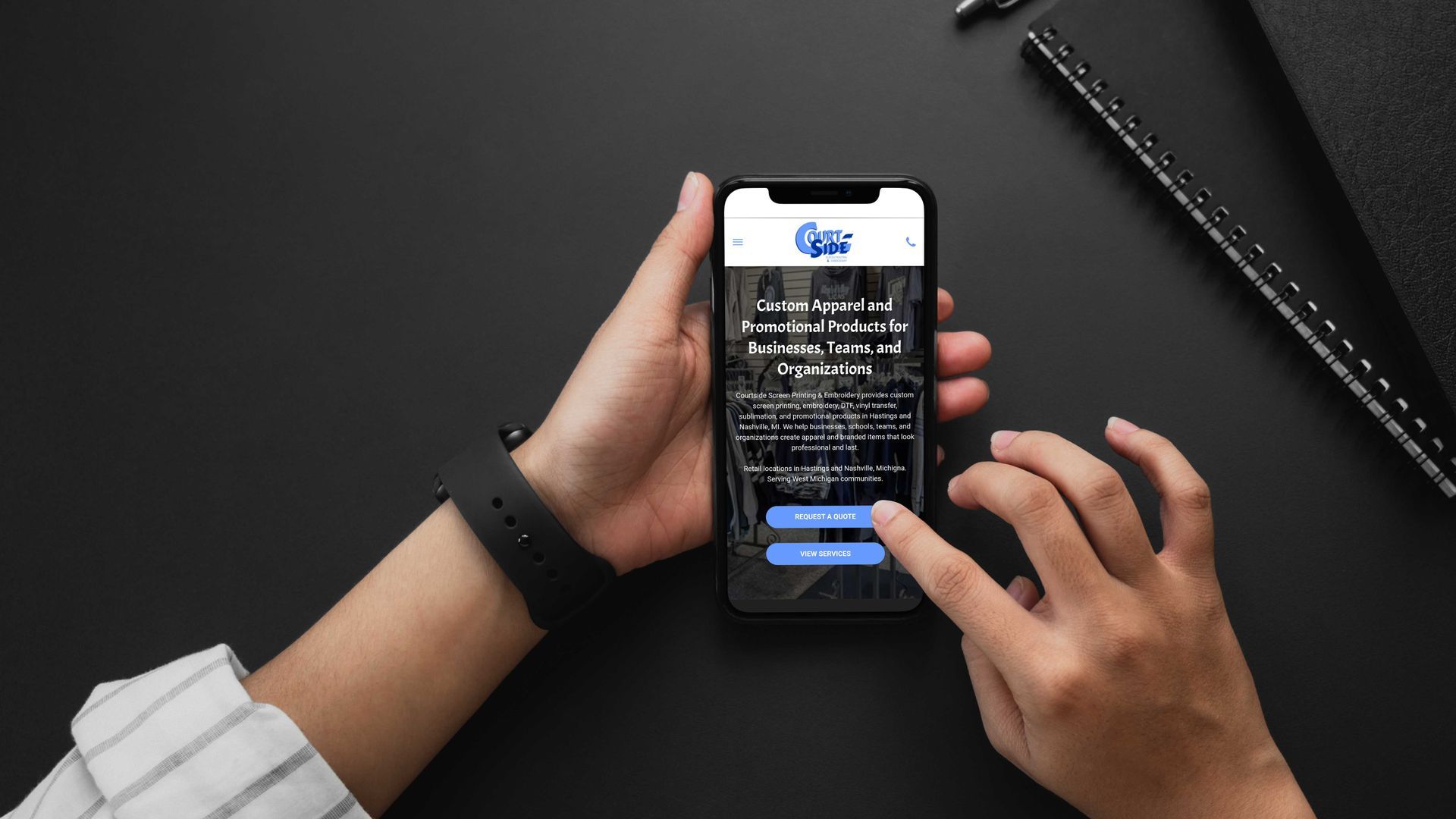
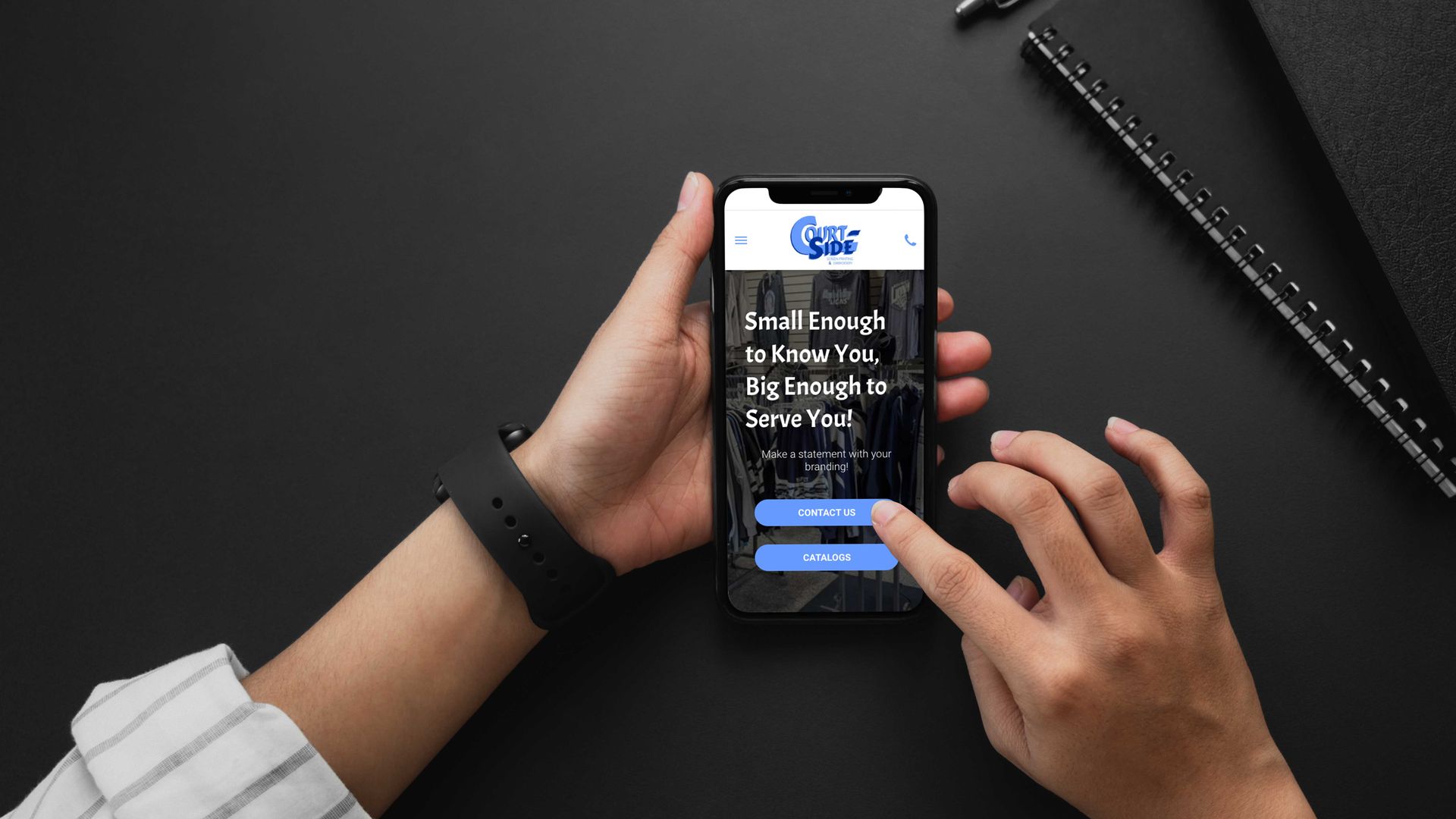
One of our clients had “Small Enough to Know You, Big Enough to Serve You!” as their heading. This didn’t explain anything helpful to the public. Now the website heading says “Custom Apparel and Promotional Products for Businesses, Teams, and Organizations” along with text explaining their services, location, and more. This information not only provides clearer messaging for whoever goes to the site, but it also provides the information that AI is looking for to recommend them when someone is searching for custom apparel using ChatGPT or any other AI search platform.


Frequently Asked Questions


How long should my homepage copy be?

Keep your homepage concise and focused on the essentials. You don't need a deep history of your business; instead, provide just enough information to prove you can solve the visitor's immediate problem and guide them to the next step.


Should I include every single service I offer on the homepage?

Avoid cluttering your page by listing every detail. Highlight your most popular core services with short descriptions, and use links to direct visitors to dedicated service pages if they need more comprehensive information.


How do I build trust if I am a new business?

Focus on transparency and verifiable details rather than claims of being the best. Display your professional licenses, service area maps, clear contact information, and high-quality photos of your actual team or equipment to show that your business is legitimate and ready to help.


Why does my phone number need to be 'tappable'?

Most local customers search for services on mobile devices while they are on the go. Making your phone number a clickable link ensures that a stressed customer can contact you instantly without having to manually dial, which significantly improves your conversion rates.


Run This Homepage Copy Checklist Before You Publish

Read your homepage out loud, preferably on your phone. If you stumble through a sentence, your customers probably will too.


Use this comprehensive homepage copy checklist before calling the page finished:

  • Can a first-time visitor tell what you do in the first few seconds?
  • Does the top of the page name your main service and service area?
  • Is there one clear primary action, such as calling or requesting a quote?
  • Can visitors tap the phone number easily on a mobile screen?
  • Does the page speak to common customer problems and desired outcomes?
  • Are your core services easy to find without scrolling through a wall of text?
  • Do your business name, phone number, and service area match your listings in the website footer?
  • Is there real proof near the main contact buttons?
  • Does every promise have support behind it?
  • Are your photos current and connected to the actual business?
  • Does the form ask only for information you need at the start?
  • Are your subheads clear enough for someone skimming the page?
  • Have you removed vague phrases that could describe any competitor?
  • Does every link lead to a useful next page, such as your contact page?


The goal isn't to make your content sound fancy. It is to make it easier for the right customer to understand you, trust you, and contact you through effective website copy.


A Homepage That Works Like a Helpful First Conversation

A strong homepage does not need clever buzzwords or a giant block of copy. Instead, it requires you to focus on your core messages and maintain a consistent tone of voice while providing a clear service promise, local proof, and a simple path to contact your business.


The best test is simple: if a customer lands on your page with a problem, can they quickly see that you understand it and know what to do next? Well-crafted website copy acts as a strong value proposition that gives them that answer before they have a reason to keep looking elsewhere.


Not sure whether your homepage is helping or hurting your local visibility? Request a free Website + Google Business Profile + SEO audit. You will see what is unclear, what is missing, and what to fix first.

Steven, the owner of Speck Designs in front of mountains.

The copywriting team at Speck Designs writes about branding, web design, SEO, content strategies, and much more for service-based businesses. Our goal is to publish clear, usable guidance you can apply right away, whether you are improving a local SEO foundation, building better landing pages, or tightening your brand message. We focus on what drives leads, not just traffic.


Ready to see how Speck Designs can help you keep your best clients and fuel business growth? Schedule your call today. Let's build lasting client partnerships through elevated customer engagement and powerful reputation management together.


Graphic design workspace showing multiple colorful logo and branding mockups on a dark canvas
By Lance Cody-Valdez July 10, 2026
Learn affordable ways to refresh your small business brand with simple updates to visuals, messaging, website content, and local SEO. Low cost, high impact solution.
Hands using laptop next to glowing red map pin with store icon and five stars on a desk
By Cecelia Johnson June 21, 2026
Local businesses need more than foot traffic to grow. Learn why a strong digital presence, website, Google Business Profile, and online reviews help build trust, improve local visibility, and attract more customers.
Person using a laptop with charts on screen at a bright desk beside a keyboard and coffee cup
By SD Team June 3, 2026
Google Search Console basics for local service businesses, so you can spot indexing issues, see search data, and protect calls.
SHOW MORE BLOGS